
Embed PDF Flipbook to HTML
Updated on: 13.05.2026
Embedding a PDF flipbook into your website using HTML is one of the most effective ways to make your content interactive, accessible, and visually engaging. Whether you're a web developer, digital publisher, or business owner, this guide walks you through the most practical methods to embed PDF flipbooks into HTML — and how to do it with minimal effort using the right tools.
What Does It Mean to Embed a PDF Flipbook into HTML?
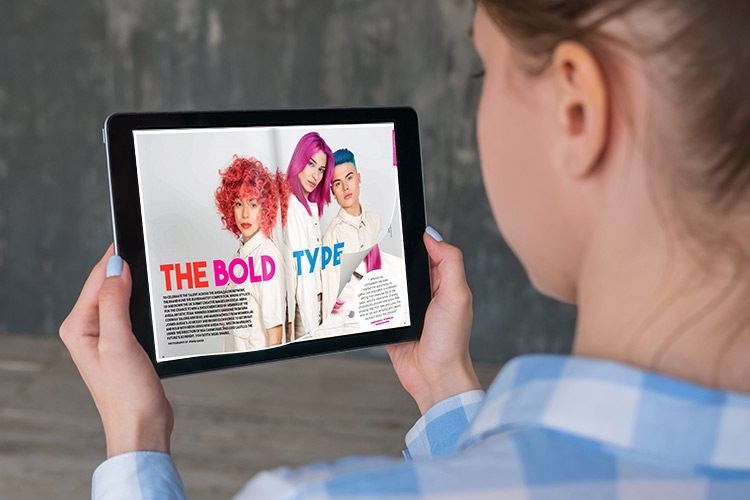
A PDF flipbook is a digital document converted into an interactive, page-turning publication — similar to flipping through a real magazine. Embedding it into HTML means integrating that flipbook directly into a webpage so visitors can read it without downloading any files or installing additional software. The result is a seamless reading experience that works across browsers and devices, and it significantly increases the chances that your content will actually be read — rather than downloaded and forgotten.
Three HTML Methods for Embedding PDF Flipbooks
There are three standard HTML techniques for embedding a PDF flipbook into a webpage. Each has its use case depending on your target browsers and compatibility requirements.
1. The Object Tag Method
The <object> tag allows you to embed the PDF flipbook's HTML code directly into the elements of a webpage. It's particularly useful for older or less common browsers that can't render standard embed code. Beyond PDFs, the object tag can also embed flash videos, Java applets, and audio files — making it a versatile fallback option for interactive content.
2. The iFrame Tag Method
The <iframe> tag is the most widely used method for embedding PDF flipbooks into webpages. It's compatible with all major modern browsers — including Chrome, Firefox, and Edge — and can also force-render documents on older HTML versions. For most web designers and publishers, the iframe method is the go-to approach due to its minimal compatibility issues across contemporary devices and platforms.
3. The Embed Tag Method
HTML5 introduced the <embed> tag specifically for embedding media content like PDF flipbooks. It's a clean, straightforward method for modern webpages. However, it requires fallback mechanisms for browsers that don't support it — otherwise, users may see a blank document instead of your flipbook.
How to Embed a PDF Flipbook to HTML with YUMPU
While understanding the technical methods is valuable, most publishers and business owners prefer a tool that generates the embed code automatically. That's where free PDF flipbook publishing software from YUMPU comes in. You upload your PDF, it converts it into an HTML5-based interactive flipbook, and then provides a ready-to-use embed code — no HTML, CSS, or JavaScript knowledge required. You simply copy and paste the snippet into your webpage.
Once embedded, your flipbook becomes a fully functional, page-turning publication that readers can interact with directly on your site. You can also Embed PDF in HTML using various approaches depending on your technical setup and content type.
For WordPress users specifically, it's also worth exploring how to Insert PDF into WordPress as an alternative integration path that works seamlessly with popular CMS setups.
Why Embedding a PDF Flipbook Beats Sharing a Plain PDF
Switching from static PDF downloads to embedded HTML5 flipbooks delivers measurable advantages for both the publisher and the reader. Here's why it matters:
Cross-device readability: Embedded flipbooks render correctly across all screen sizes and device types — from desktop browsers to smartphones.
No coding skills needed: Tools like YUMPU generate the complete embed snippet, so you don't need to write a single line of HTML, CSS, or JavaScript yourself.
Rich interactivity: You can incorporate hyperlinks, sign-up forms, videos, and audio directly within the flipbook — making it far more engaging than a downloadable PDF.
Better Google indexing: Search engines can index the content of embedded HTML5 flipbooks more effectively than traditional PDFs, which translates to improved organic visibility and traffic.
Social media sharing: Embedded flipbooks can be shared directly to social platforms and image networks — readers can discover and engage with your content without leaving their feed.
Faster loading: HTML5 flipbooks typically load faster than traditional PDFs, which can slow down page load time significantly.
Easy distribution via email: Instead of attaching bulky PDF files, you share a link to the embedded flipbook — perfect for email newsletters and footers.
Always up to date: Digital flipbooks can be updated instantly without redistributing new files, keeping your content current at all times.
Free cloud storage: YUMPU provides cloud storage for your HTML flipbook files, eliminating the need for your own hosting setup.
Natural reading experience: The double-sided page-turn presentation feels familiar and intuitive for readers accustomed to physical publications.
If your goal is to reach more readers, reduce print and distribution costs, and give your content a professional digital presence, embedding PDF flipbooks into your website is the logical next step. Start publishing for free on YUMPU and turn your existing PDFs into interactive HTML5 flipbooks today.
Practical Use Cases: Where to Embed Your PDF Flipbook
Understanding where to place your embedded flipbook is just as important as knowing how to embed it. Here are the most common and effective placements:
Website landing pages: Showcase product catalogs, brochures, or annual reports directly on your site — no download required.
Blog posts and articles: Embed relevant flipbooks within editorial content to add depth and keep readers engaged longer.
Email newsletters and footers: Add a link to your flipbook in email campaigns or signatures so subscribers can access the latest edition with one click.
E-commerce pages: Embed lookbooks, product guides, or manuals alongside product listings to support purchase decisions.
Social media walls: Share your flipbook link across platforms like LinkedIn, Facebook, or X to extend your organic reach.
FAQ: Embedding PDF Flipbooks into HTML
What is a PDF flipbook?
A PDF flipbook is a digital document that has been converted into an interactive, page-turning publication resembling a physical magazine or book. It can be viewed directly in a web browser without downloading or installing any software.
Do I need to know HTML to embed a PDF flipbook?
No. Tools like YUMPU Publishing generate the complete HTML5 embed code automatically. You simply copy the snippet and paste it into your webpage's HTML — no coding knowledge required.
Which embed method should I use — object, iframe, or embed tag?
The iframe method is the most universally compatible and is recommended for most use cases. The object tag is useful as a fallback for older browsers, and the HTML5 embed tag works well for modern, standards-compliant websites.
Will embedded PDF flipbooks work on mobile devices?
Yes. HTML5 flipbooks are designed to be responsive and work across all major devices and screen sizes, including smartphones and tablets.
Does embedding a PDF flipbook affect website loading speed?
HTML5 flipbooks generally load faster than traditional PDF files embedded directly into a page. They are optimized for web delivery, which helps maintain a good page load time and user experience.
Can search engines index the content of embedded PDF flipbooks?
Yes. HTML5-based flipbooks are more easily crawlable by search engines compared to standard PDFs. This means the content within your flipbook can contribute to your site's organic search visibility.
Can I embed a PDF flipbook into a WordPress website?
Yes. You can use the embed code provided by tools like YUMPU and paste it into a custom HTML block in WordPress. There are also dedicated plugins that simplify the integration process.
Is it possible to update the flipbook content after embedding it?
Yes. One of the key advantages of cloud-hosted flipbooks is that you can update the source document and the embedded version reflects the changes automatically — no need to re-embed or notify readers.
Can I share the embedded flipbook on social media?
Absolutely. YUMPU and similar platforms generate shareable links that work across social media platforms, allowing you to distribute your flipbook to a wider audience without any additional steps.
Is there a free way to embed a PDF flipbook into HTML?
Yes. YUMPU Publishing offers a free plan that allows you to convert PDFs into HTML5 flipbooks and generate embed codes at no cost. Free cloud storage for your files is also included.

Hi, I’m Michael Wilson. I am a creative, passionate digital marketing professional with over 12 years of expirience in online marketing. I love everything about digital publishing and that’s why I want to share my thoughts about this matter on my little blog. I hope you enjoy!